
Have you ever wondered how to delete an Amino account? Amino Apps provides a unique platform where communities for almost any interest imaginable have sprung up, connecting millions worldwide. While Amino can be a great place to explore your interests, there may come a time when you need to step away. Whether you want to declutter your digital life or focus on other endeavors, this guide will walk you through deleting your Amino account and answer some common questions about the process.
Understanding Amino
Amino is a mobile and web-based application designed to unite like-minded people based on shared interests. While the platform offers a wide variety of communities to engage with, some users might feel the need to withdraw for personal reasons, or perhaps they’re simply no longer active. Whatever the case, deleting your Amino account is straightforward, but there are a few crucial steps to follow.

Steps to Delete Your Amino Account
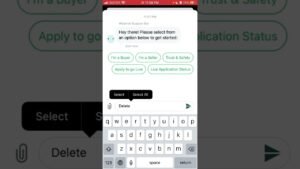
Unlike many platforms, Amino doesn’t provide a direct way to delete your account from the app. The account closure process involves contacting Amino Support. Here’s a step-by-step guide:
- Step 1: Open the Amino app and log in to your account.
- Step 2: Go to ‘Settings’ and then ‘Support.’
- Step 3: In the ‘Support’ section, there should be an option to ‘Send us a message’ or ‘Report a problem.’
- Step 4: In the message, clearly state that you want to delete your account. Include your reason for leaving if you feel comfortable doing so.
- Step 5: Wait for a response from the Amino Support team, who will provide further instructions.
What to Consider Before Deleting Your Amino Account
Before going through the account deletion process, there are a few points you should keep in mind:

- Ensure you genuinely want to delete your account, as this process is irreversible.
- Be aware that upon deletion, you will lose access to all your messages, posts, and other data related to your account.
- If you only want to leave a specific community but stay on Amino, you don’t need to delete your account. Instead, you can simply leave that community.
Frequently Asked Questions (FAQs)
Can I delete my Amino account from a computer?
You can only request account deletion through the Amino app on a mobile device. This is because the ‘Support’ section is not accessible on the web version.
Can I restore my Amino account after deletion?
No, it cannot be restored once your Amino account has been deleted. You’ll need to create a new account if you decide to return to Amino.
What happens to my posts when I delete my Amino account?
Deleting your Amino account will permanently delete all your posts, comments, and messages. They cannot be retrieved even if you decide to create a new account.
Conclusion
Knowing how to delete an Amino account allows you to take control of your online presence. Remember, thinking carefully about this decision is essential, as deleting your account is irreversible. Whether you’re leaving due to a shift in interests, the desire for a digital detox, or any other reason, this guide aims to make the process straightforward and hassle-free. Remember always to engage responsibly online and manage your digital footprint effectively.